
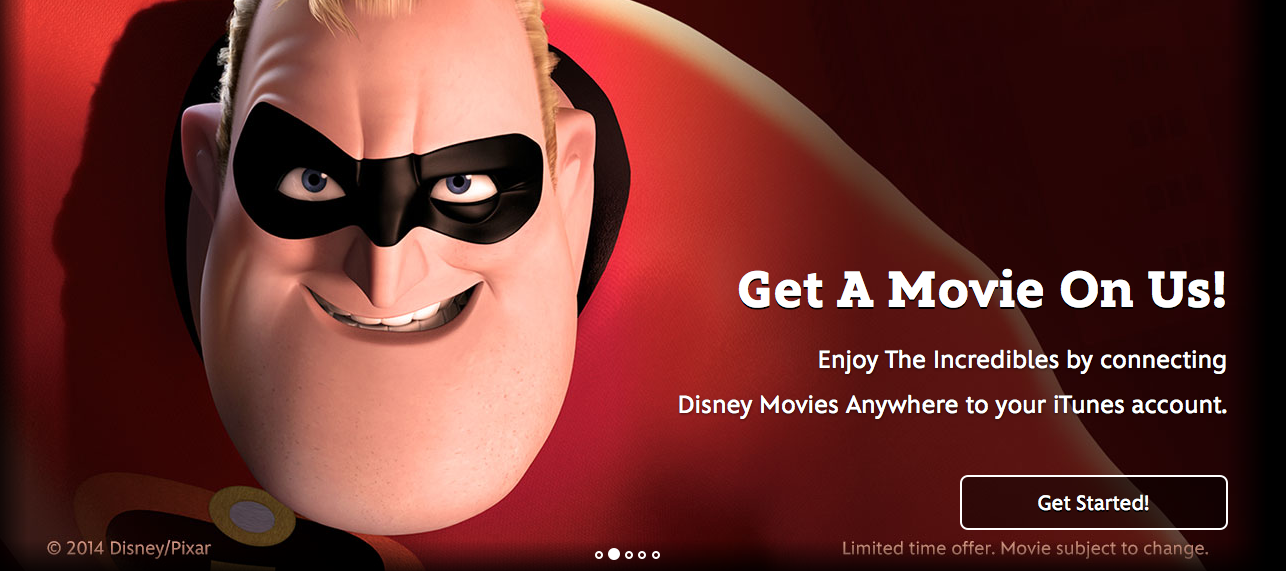
For a limited time, use the Disney Movies Anywhere site to link your Disney Movie Rewards account to your iTunes account and you will score a FREE iTunes HD Copy of The Incredibles!
To take advantage of this offer:
- Go to the Disney Movies Anywhere site. When the picture above pops up in the scrolling ads, click on the Get Started! button.
- Login to your Disney Movie Rewards account when prompted. (Or, if you don’t have an account, create a new account for FREE!)
- Once you have logged in, click on the “Gears” icon on the top right of the page.
- Click on Account.
- In the Connect Accounts Tab, select the iTunes checkbox. Your iTunes application will open. Click the blue “Connect Accounts” box. And then you will have to Sign into your iTunes Account to verify you want to connect them.
- Once you are connected, you will be able to download The Incredibles under your “Purchased” link in the iTunes Store. (Click on the “Purchased” tab in the Quick Links section from the main iTunes store page on the right side of the page.)
**Limited time offer. Promotion can end at any time.

shalee
so i linked my accounts but i dont see what to do to be able to put the movie on my ipad now…
Coylette
I’m with you shalee. I linked my account and it says it’s linked but the actual movie is no where to be found in my iTunes account??
E
I’m confused as well…
Ashley
I also do not see the movie anywhere. Anyone have success?
Sarah
I got it to work on my iPad. Once you link your accounts download the Disney Movies app, log in and you can download the movie.
E
It says buy in the iTunes…it says buy for 19.99 does it just not charge ur account?
E
I linked the accounts and downloaded the app open the app and it says play the movies…click watch now and it takes me to the iTunes preview or buy for 19.99 screen…you a DL it and it just not charge me? Or do u DL it somewhere esle
Melea Johnson
Here is more details for you guys:
Go to the Disney Movies Anywhere site. When the picture above pops up in the scrolling ads, click on the Get Started! button.
Login to your Disney Movie Rewards account when prompted. (Or, if you don’t have an account, create a new account for FREE!)
Once you have logged in, click on the “Gears” icon on the top right of the page.
Click on Account.
In the Connect Accounts Tab, select the iTunes checkbox and an iTunes application will open that will let you connect your Disney Movies Anywhere account to your iTunes account.
Once you are connected, you will be able to download The Incredibles under your movies purchased in iTunes. (Click on the “Purchased” tab in the Quick Links section from the main iTunes store page on the right side of the page.)
E
I did all that and it’s not showing up
In the iTunes purchased area
Esther
i followed all the directions just like you wrote down, except the last one, “Once you are connected, you will be able to download The Incredibles under your movies purchased in iTunes. (Click on the “Purchased” tab in the Quick Links section from the main iTunes store page on the right side of the page.)”
When I click on my purchase tab there is only my music and movies I already have. Not sure what else to do since all the other steps you wrote down worked perfect.
Ashley
Same here
E
Esther I’m in the same spot nothing shows up
JoAnn
There is also a Disney Movies app. When you download the app your movie is right there and ready to play 🙂
Melea Johnson
Hey everyone, I tweaked the directions a little bit to see if that would help you. I followed the instructions I have listed above and it worked for me. I am on a computer, not on a mobile device. Not sure if that makes a difference or not.
You have to click the BLUE Connect Accounts Button once your iTunes opens. If you don’t see that, then you will need to try to link them again.
E
I downloaded the app and it’s not in my collection to play either
E
i finally called them and they helped me
Esther
Did they have you do something else? I pushed the blue “connect” button and still nothing. So is there a different step they had you do or do I just need to call 🙂
Beth
I am with you, I am on a computer, tried all the steps, says I’m connected, I can access it through the disney app, but nothing on my iTunes!
Allison
Thanks for the help Melea. I went through your tips and finally saw the movie in my iTunes purchased tab (click on the purchase link from the iTunes store when you are looking at the movies… should be on the right hand side). Unfortunately, my computer is telling me that it is not authorized to download from iTunes. Grrr. I will have to do some more troubleshooting on my apple id now, or try from the ipad. Thanks for sharing this deal though!
Chelsea
Same here. Followed all directions perfectly and it’s not in my purchases tab. Sad. It’s one of our favs.
Chelsea
Finally worked! I refreshed the page where you click the box to connect on the Disney site, and then I clicked on the “my collection” link and it popped up there. Then I went to iTunes and it was there. Hope that helps. I’m on an iPad.
Alyssa
I tried and tried on my computer. I gave up and tried it on my iPad, and it worked. I clicked on My Collections on the Disney movies anywhere site, and it was there. Then I opened up my iTunes again, and it was in my movies section. It also pulled up in my videos app. If it’s not working, just keep trying 🙂
Jennifer
I had a hard time finding this on iTunes as well. It doesn’t show up in my “Library,” but it does appear when I click on the “Purchased” QuickLink as you instructed! Thanks!! =)
Allesha
It wasn’t the easiest thing to do, but it did work for me. Yay! Thanks!! Perfect timing. We had just put our name on the waiting list at the library for The Incredibles movie! Thank you!