
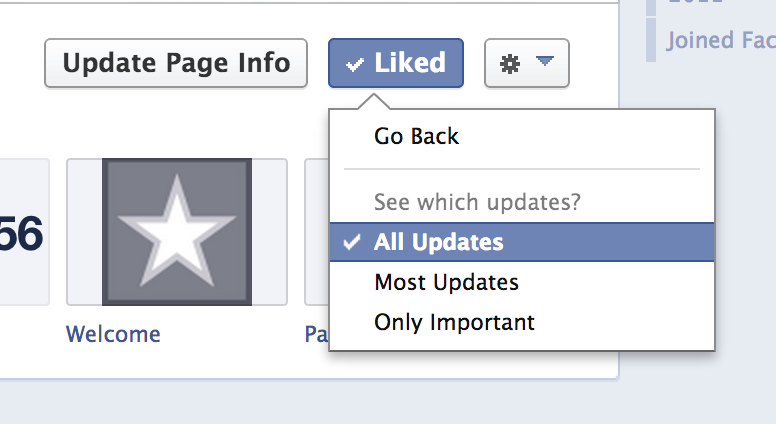
Let’s be honest… as much as you would all love to spend every waking moment on Freebies2Deals.com, that just isn’t realistic— well, unless you are a deal hunting maniac like me! 😉 So, I wanted to let you all know that you can now see each deal that is posted on the Freebies2Deals Facebook Page!! How cool is that??
Here is what you do:
- Head to the Freebies2Deals Facebook Page
- Hover your mouse over the “Liked” Button
- Click on “Settings”, then click on ”All Updates”. That should help all of the Freebies2Deals Updates actually show up in your News Feed!
So here is a way to make sure you see all of the deals sent your way! Of course, checking Freebies2Deals.com is the best way to not miss a deal… but I know that we sometimes get lost on Facebook for a few hours. 🙂

Emily Davies
Thanks for the update! I tend to see facebook posts before I come to the blog so it helps to see the posts so I don’t miss out on awesome items!
Erica
Thanks for letting us know to do that! I changed the setting.